Showing posts with label Personalization. Show all posts

Saturday, September 14, 2013

GO Locker v2.01 Apk

GO Locker v2.01 Apk

DESCRIPTION:

Google Play Link
Lock screen easily and stylishly with the Top downloaded screen locker!
50+ million downloads, 240,000+ user reviews and a 4.4-star rating, that is Go Locker!
You may go to SMS messages, call logs and control the music player, all from the Lock Screen.
■ Free Features
- Display current weather with live animation effects on lock screen
- Add Everything to your lock screen and quick launch apps directly from the lock (Compatible for all Android Versions)
- Security protection with pin, pattern and gesture
- A vast number of themes with plenty of unlocking style, iphone style, android style and other styles beyond your imagination
- Easily customizable lockscreen to make it personal
What’s New
1.(Improve)Optimize the guide of ‘Widget Screen’ for new users
2.(Fix) Pin is invalid in Android 4.3

DOWNLOAD:

http://tinyapk.com/go-locker-v2-01-apk/

Dynamic Notifications Premium v1.9 Final Apk

Dynamic Notifications Premium v1.9 Final Apk

DESCRIPTION:

Google Play Link
When you miss a call or receive a new email/SMS, the display will discreetly light up to let you know, without needing to unlock the device. Most phones only have a pulsing notification LED that doesn’t actually tell you anything about the incoming notification – with ActiveNotifications, you can immediately decide if something is important enough to act.
FEATURES:
* Notifications don’t light up when your phone is in your pocket, purse, or face down to avoid accidental unlocks
* Select which app-notifications you’d like to receive via ActiveNotifications
* “Custom timeout”: Select for how long ActiveNotifications should be shown (Premium feature)
* “Sleep at night”: Don’t show notifications at night (Premium feature)
* “More privacy”: Hide additional notification details (e.g. SMS text, sender) (Premium feature)
* “Adjust screen brightness”: Select how bright the ActiveNotifications screen should be (Premium feature)
* Automatically switch off screen when dismissing notifications(Premium feature)
HOW-TO:
- Swipe up to see more details about the notification
- Swipe down to unlock the device (respects your unlock-security settings)
- Swipe left or right to dismiss the notification
FAQ:
- How can I make sure the app is working correctly?
Launch the app and follow the setup steps. Then, switch off your phone’s screen and send an email to yourself from your PC. After a few seconds, the notification screen should light up!
- The screen sometimes turns on to the lockscreen, even if my phone is in my pocket
Please go to your phone’s system settings –> “Security” –> “Device administrators” and tick the checkbox next to “ActiveNotifications”. This will *only* allow the app to lock your screen, nothing else!
- When I lock my screen, nothing happens!
The app isn’t a lockscreen replacement. It respects your security settings (PIN/Pattern lock) and only appears if you actually receive a new notification while the screen is turned off
- Will the app become available for Android 2.x, 3.x, 4.x?
The app is now compatible with Android >=4.0. If you’re running Android 4.3, it will make use of the new “NotificationListenerService”-feature introduced in Android 4.3. Support for Android 4.0 to 4.2 is experimental, at the moment, but please try it out and let me know how you get on!
- Why can’t I uninstall the app?
Please go to your system settings, select “Security”, “Device Administrators” and uncheck the ActiveNotifications-entry. You will then be able to uninstall the app.
KNOWN ISSUES:
- If you’re using “None” or “Slide” as your system lock setting, the “custom timeout”-feature isn’t recommended, because it will turn your screen fully on after the timeout has passed. Please consider adjusting your system display timeout setting to the desired time as a temporary workaround. This will be fixed in the next version
Please note: This is an experimental app. It has been confirmed to work on the Galaxy Nexus, Nexus 4, 7, 10, and the Google Play edition of the S4 (all running stock Android 4.3 or CM10.2) so far. Please let me know if it does/doesn’t work for you! It should work on any phone with Android >=4.0 and doesn’t require “root”.
Feature graphic design by Robert Olejnik (http://goo.gl/LNXimn)
What’s New
v1.9:
- Appearance customization options (change background/foreground color, use custom background image, show date, change notification icon border style) [requires "WRITE_EXTERNAL_STORAGE"-permission to save the custom background image] – Fixed a bug where the notification screen would be displayed even when the screen was on (requires “GET_TASKS”-permission)
- Customizable swipe-actions (open notification, unlock, launch camera, launch custom app, switch screen off, screen off + dismiss notification [Android 4.3-only], screen off + dismiss all notifications [Android 4.3-only])

DOWNLOAD:

http://tinyapk.com/dynamic-notifications-premium-v1-9-final-apk/

Friday, September 6, 2013

Icon Pack – Vintage 2.0.8 APK

Vintage_result_thumb

DESCRIPTION:

Google Play Link
Features
• 1,000+ HD Icons! (144 x 144)
• 2 UCCW Skin
• 3 Wallpapers
• Supports automatic apply and manual apply of icons
• Multiple launcher support (see below)
• Icon mask is used so even icons not included will be themed.
• Weekly updates
Supported Launchers
• Nova Launcher
• Apex Launcher
• Action Launcher
• ADW Launcher/EX
• GO Launcher EX (GO Launcher users please email us for an alternative version)
• Next Launcher 3D (Manual apply only. Jellybean users please email us for a fix.)
• Holo Launcher
• TSF Shell
• May work on other launchers but this not guaranteed.
UCCW Skins
This theme includes 2 Ultimate Custom Clock skin! Detailed Installation instructions are listed within the application (open from app drawer or from Google Play after installing) in the “Apply” section.
Theme Details
This is a icon pack with a classic vintage/retro style. These icons have a nice grungy pattern on top of each icon. Perfect for users who like vintage icons and retro icons!
Support
Please email us at stealthychief@gmail.com if you have any questions regarding this icon pack and we’ll be happy to help! For icon requests, please use the Request Icons Feature within the app and we’ll do our best to add those icons in future updates.

DOWNLOAD:

Download Link

Sunday, August 25, 2013

Missed It! 4.1.8 APK Full Download

Missed It! 4.1.8 APK Full Download

Missed It! 4.1.8 APK Full.

Get information about the number of missed calls, unread SMS, messages and unread email notifications from virtually any application a glance with this simple yet very customizable widget.In Jelly Bean 4.2, lost! widgets can be placed on the lock screen of the system. In previous versions of Android, you need a lockscreen replacement app.Lost! Must be enabled as an Accessibility Service to be able to receive application notifications (‘Settings »Accessibility» Accessibility services’).

Features:
* Reports number of missed calls, unread SMS and voice messages waiting.
* If you use Gmail or K-9 Mail, you can get the number of unread messages for each individual account. In the case of Gmail, you can select the label control.
* Also reports notifications from any application that uses the notification bar to report events (including WhatsApp, Tweetdeck, e-mail clients, etc).
* Customization of font and background color and transparency. Also font faces (can use fonts stored in external SD card) and styles (bold, italic, underline).
* Customization of the layout (alignments, padding, etc.)
* Text messages can be customized to show whatever phrase you want.
* Represent numbers as text.
* Resizable widget ICS. With previous versions of Android, there are several widget sizes available (the user can select the sizes appears in widget list).
* Compatible with Nova Launcher Prime WidgetLocker and read function Condes. Both applications can use Missed! as unread counter provider.
* Extension DashClock included, to receive notifications of generic applications in DashClock widget.

Missed It! 4.1.8 APK Full Download

Download APK

Wednesday, August 14, 2013

True Weather, Waterfalls 5.03 Apk Download


Instructions :

  • Download App
  • Install APK

Features:

  • Real weather situation.
  • Four year seasons animations (spring, summer, autumn, winter). Year season is automatically selected depend on your location and date.
  • 5 waterfalls themes.
  • Real sunrise/sunset times.
  • Real moon phases.
  • 3 or 10 days forecast animations (double tap wallpaper to start forecast).
  • 2 weather providers
  • Feels like temperature.
  • Wind speed and direction
  • Humidity
  • Quick access to 2nd city(triple tap wallpaper), you can see weather, year and day situation in your favorite city including forecasts
  • Lots of settings
  • Rain, Snow depends on wind speed, etc...
  • Optimize for CPU and Battery usage
  • Portrait & Landscape mode
  • Phone and Tablet compatible
  • 17 weather data languages (English, Italian, Russian, Spanish, French, German, Dutch, Norwegian, Czech, Arabic, Thai, Turkish, Polish, Hungarian, Finnish, Slovak, Hindi, Japanese, Romanian)

Tip: How to set TrueWeather, Waterfalls wallpaper?

  • Press HOME button
  • Press MENU button
  • Tap on Wallpaper -> Live wallpapers
  • TrueWeather, Waterfalls -> wait a few seconds!
  • Set wallpaper

Tip: How to change wallpaper theme (background)?

  • Go to TrueWeather wallpaper settings (HOME->MENU->Wallpaper->Live Wallpapers->TrueWeather, Waterfalls->Settings...)
  • Scroll to Year seasons theme
  • Select year season theme (Spring, Summer, Autumn, Winter or Bonus)
  • Scroll to and press "Save" button
  • Press Home button and wait a few seconds

Tip: To reduce battery consumption set FPS to 20 or 30 in TrueWeather, Waterfalls advanced wallpaper settings)

What's in this version : (Updated : Aug 12, 2013)

  • Added weather in notification bar
  • Fixed text size bug


Required Android O/S : 2.1+

Screenshots :


Google Play Store

Download True Weather, Waterfalls 5.03 APK

Download APK

Monday, August 12, 2013

C Locker Pro v2.3.5 Apk Full App Download

C Locker Pro v2.3.5 Apk Full App Download
Note:
~~Please try the FREE VERSION before buying, some of the features may not be compatible to your device.
~~If you are upgrading from the FREE VERSION , please DISABLE or UNINSTALL the FREE one. else you will be running 2 LOCKERs at the same time.
~~If you are having any issue after update, please email me(i check daily) instead giving low rating.
~~Email: cheahchinseng@gmail.com
~~Although without disabling the system lock screen, this app will still work. But it’s highly recommended to disable the system lock screen to get full performance of this app. just go Setting>Lock Screen>set lock screen type to NONE.

=====Extra Features for Pro version: =====
1. Things you can see from the Lock Screen:
—RSS Feeds (CNN, BBC), Network Provider Name, Battery info..
—Calendar Events List Reminder..
2. Things you can customize on the Lock Screen
—Volume Rocker Control, long press to play/skip (next/prev) music.
—Screen Off Volume Skip (next/prev) music
—Locker screen sliding gesture actions with 4 directions (Up, Down, Left, Right)
—More than 10 custom shortcuts your can set to launch apps, direct call, direct sms
—RSS update interval and other settings
—PIN Unlock
—Clock background (Full transparent/Black transparent)
—Clock position set to left/center
—Font Styles, Font Colors

=====Features for Free version: =====
1. Things you can see from the Lock Screen:
—Time, Date, Day, Next Alarm
—Weather Information
—Media buttons (previous, play, pause, next), this automatically shows if you have a song playing..
—Missed calls, New SMS notice
2. Things you can customize on the Lock Screen
—Full Screen (hide the status bar…)
—Lock screen Wallpaper (Live wallpaper now supported)
—To show/hide missed calls contact, new sms contents
—Own custom icon selection
—Screen timeout
—Unlock sound, screen off sound
—Disabling Default Home Button function, Long press Home Button to launch recent apps
—Weather update interval and other settings
—And many other customizations

Change Logs:
2.3v+
-added: custom rss url (Pro)
-added: option to select weather c/f, kmh/mph separately
-added: option to select music icons
-added: an Icon Link to Weather Provider’s webpage in weather layout
-updated: Weather day/night Icon auto update based on YahooWeather Sunrise/Sunset
-fixed: unlock custom icon not able to save
-disabled: proximity sensor that not compatible with some of the devices
-added: Portuguese, Rusian Translation, thanks to XDA members: mauam, gaich
-added: Live Wallpaper is now supported
-improved: Locker opening speed to reduce flicker while screen on
-added: options to set Wallpaper dimming level in “Display Settings”
-fixed: prevent long press home key to launch recentApps in Android 4.2
-fixed: minor bugs
What’s New
Change Logs:\
2.3.5
added: MMS notice support
2.3.4
-added: Dutch translation, thanks to XDA members: martinusbe
More Info:
https://play.google.com/store/apps/details?id=com.ccs.lockscreen_pro

C Locker Pro v2.3.5 Apk Full App Download


Download APK

Saturday, August 10, 2013

Tersus (adw nova apex theme) v1.4.7 Apk Download


Tersus (adw nova apex theme) v1.4.7 Apk Download
Size: 22 Mb | Android: 2.1 and up

What's new in this Version:
v1.4.7 (August 9th, 2013)
24 new icons added. See them here: http://bit.ly/kov080913
Fixed many broken activities. Keep emailing us about these!
We've got a new theme, Nox, coming soon. Join our G+ community for news and more!-----------------
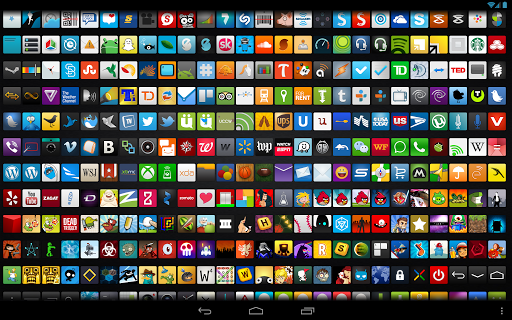
This is an icon pack (for Apex, Nova, ADW, Holo & more!) and will add high definition icons for many popular launcher replacements! This set is rendered at full HD (144x144) for increased clarity.
Features:
▪ Over 1200 custom icons!
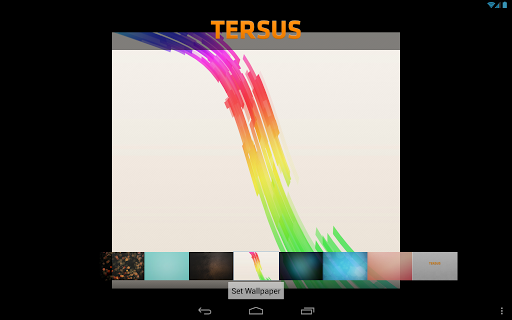
▪ Wallpaper gallery included!
▪ Apex theme support
▪ ADW Theme support
▪ Nova Launcher theme compatible
▪ Action Launcher Pro compatible
▪ Holo Launcher compatible
▪ Icon Themer compatible
Regarding 'MovetoSD' availability: If the app is moved to SD Card, you risk the custom icons not loading properly because of how the system loads the SD card OR the theme not being active after a device restart.
Tersus (adw nova apex theme) v1.4.7 Apk Download

Tersus (adw nova apex theme) v1.4.7 Apk Download

Download APK

OfficeSuite Pro 7 (PDF & HD) v7.2.1318 Apk Download

OfficeSuite Pro 7 (PDF & HD) v7.2.1318 Apk Download

Size: 26 Mb | Android: 1.6 and up

What's New:
Version 7.2.1318
  • Optimization for Android 4.3 in the Excel module
  • OfficeSuite users will be able to create Evernote notes with document attachments and to look up Evernote notes for a text selection
  • Ability to insert shapes in Word
  • Right to left writing in Word for Hebrew and Arabic languages
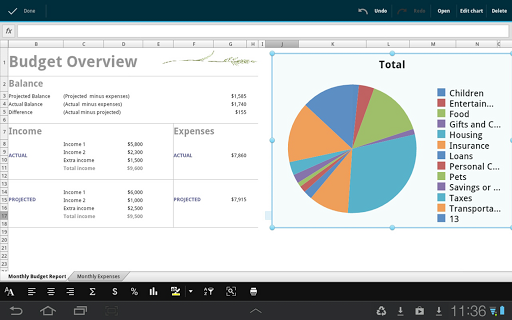
  • Export spreadsheets to PDF
  • Digital keyboard in Excel
  • Ability to insert shapes
  • Printing to HP printers (requires HP ePrint)
Version 7.2.1311
  • New PDF engine
  • Anotations in PDF files
  • Fixes in PDF viewing on Android 4.3
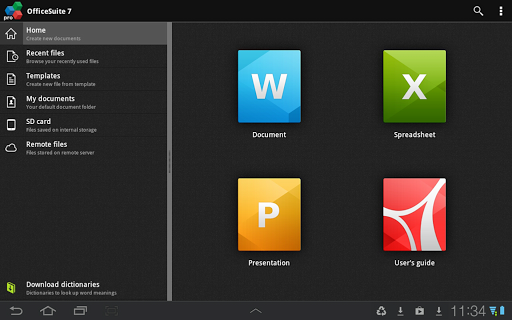
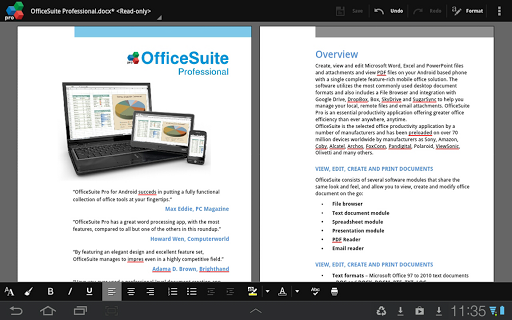
Made by MobiSystems, OfficeSuite Pro allows you to view, create, edit, print and share Word, Excel and PowerPoint files on the go. You can also open attachments and see PDF files on an Android based phone or tablet with our feature-rich mobile office solution.
OfficeSuite Pro includes a File Browser and integration with Cloud service leaders: Box, DropBox, Google Drive, SkyDrive and SugarSync to give users a multitude of options on how to manage files and attachments.
OfficeSuite Pro 7 (PDF & HD) v7.2.1311 Apk

Like this apk? Then support developers and buy it.
Google Play

OfficeSuite Pro 7 (PDF & HD) v7.2.1318 Apk Download

Download APK

Wednesday, August 7, 2013

Nova Launcher Prime 2.2 APK Full Download

Nova Launcher Prime 2.2 APK Full Download


Nova Launcher Prime 2.2 APK Full

Replacement boosted performance Highly customizable homescreen Android 4.0 +.Accept no imitations! Nova Launcher is the original custom launcher and polished for Android 4.

Features include:
Color Themes
Change the accent color of the launcher, full support color picker

Icon Issues
Apply ADW or Go Launcher Themes icon for all application icons
Dock scrolling (for tablets and mobile)

Keep all your favorite applications on the dock with a maximum of 7 icons per page and a maximum of 3 pages.

Customizable App Drawer:
Transparency
Scroll Style, choose between horizontal or vertical paged continuously

Displacement effects
Enjoy the eye candy when moving the desk and drawer. Effects include Cube and Cardstack and more for Prime users.

Infinite Scroll
Never be far from your favorite page, go the desktop continuously.

Folder Icons
You can choose a background, style preview or even replace the icon set.

Backup / Restore
Export configuration and design before a wipe to quickly get back on track.

Players spring
Add any widget to the dock 1×1

Widget Overlay
Overlay resize or location, long press Send to Back or Bring to Front

Bulk Add
Add multiple applications on the desktop or in a folder at once

Shortcut Activities
Select hidden activities of your favorite applications

Import Layout
Import your desktop layout or other default launcher launcher replacement.

* Nova Launcher Prime Features (paid version) *

Nova Launcher Prime opens the following characteristics in Nova Launcher:
Groups of drawers:
Folders Panel Applications
Unlimited custom tabs
Organize applications in tabs and folders in the app drawer

Gestures
Quickly start Nova actions or applications on the desktop gestures such as pinch, swipe or slide two fingers.

Hide Applications
Keep a drawer for hiding clutter free apps never used.

Swipes Dock
Get the most out of your dock applications slide-action setting

Unread Counts
Never miss an email. Badges unread count for SMS, missed calls, Gmail, Email, Google Voice and more. Counts shown on the bench, desk, drawers and folders.

Displacement effects more
What’s New v2.2 :
  • Custom Dock Styles
  • Custom Unread Count Badge Styles (Prime)
  • New scroll effects (Prime)
  • Optimizations and fixes


Nova Launcher Prime 2.2 APK Full Download

Download APK

Sunday, August 4, 2013

Next Nexus Live Wallpaper PRO v1.3 APK Download

Next Nexus Live Wallpaper PRO v1.3 APK Download

Size: 3.2 Mb | Android: 2.2 and up
Simply beautiful live wallpaper inspired by the default Nexus Live Wallpaper. Create your very own unique live wallpaper with tons of customization to play with.
Next Nexus Live Wallpaper PRO v1.3 APK Download

Available on Google Play

Next Nexus Live Wallpaper PRO v1.3 APK Download

Download APK

Saturday, August 3, 2013

Pimp Your Screen with Widgets 1.0.3 Apk Download

Pimp Your Screen with Widgets 1.0.3 Apk Download

Pimp Your Screen with Widgets 1.0.3 APK Free Download Android App. Pimp Your Screen is a perfect app to customize the look of your Android device by giving you an exclusive collection of specially designed widgets and cool HD wallpapers. With Pimp Your Screen you can make your phone or tablet truly personal and unique.


Instructions :


  • Download App
  • Install APK


Wallpaper section includes:

  • High resolution Android wallpapers and background images designed exclusively for your Android phone or tablet
  • Wallpaper adjustments: Normal/No Scroll/Widescreen
  • New and Popular tabs, check the new backgrounds and popular wallpapers for Android
  • Automatic wallpaper change: just set the desired timing, category and mode
  • Categories: Abstract, Cartoon, Holidays, Sci-Fi, Sports, Nature
  • Regular updates, enjoy free wallpapers

Use Widgets for Android to increase your productivity by adding them to your Home Screen or have a quick access to system settings with Toggles. Use multiple Android widgets from the Widget gallery and track time and weather data if different locations.

Adjustable Weather Widgets:

  • Configure your weather data (Fahrenheit/Celsius, wind speed unit, pressure unit, 12/24 hour format, location)
  • Choose your layout: all weather details, short-term forecast, long-term forecast, current state and clock, compact widgets
  • Add multiple weather widgets to the Home Screen to track weather in different locations

Clock Widgets:

  • Adjustable clock widgets with different styles (Thinline, Digital, C-motion, Ultrasonic, Antique, Wordy)
  • 12/24 hour format
  • Day of the week displayed on the clock

Battery widget:

  • Quickly check your battery status
  • Access battery use information

Handy Toggle Widgets:

  • Enable or disable Wi-Fi
  • Turn on and off Bluetooth
  • GPS
  • Adjust brightness
  • Silent mode (timed, or switch to silent mode)
  • Airplane mode
  • Rotation lock
  • Vibration on/off

Pimp Your Screen is compatible with all popular devices by Samsung, HTC, Sony, Motorola, LG and more.

Bring more color and glow into your life with new beautiful widgets, HD wallpaper images and backgrounds. Create as many unique themes as you want. It's time to Pimp Your Screen!

What's new in this version : (Updated : Aug 2, 2013)

  • Performance and stability improvements

Required Android O/S : Varies with device

Screenshots :
Pimp Your Screen with Widgets 1.0.3 Apk Download


Pimp Your Screen with Widgets 1.0.3 Apk Download
Google Play Store

Download Pimp Your Screen with Widgets 1.0.3 APK


Download APK

True Weather, Waterfalls 5.02 Apk Download


True Weather, Waterfalls 5.02 Apk Download


True Weather, Waterfalls 5.02 APK Free Download Android App. Actual weather as LIVE WALLPAPER in amazing waterfalls HD themes!True Weather is a Live Wallpaper for your Android phone or tablet!
True Weather animate actual weather, year seasons and day/night situation for your location or city in full HD.


Instructions :

  • Download App
  • Install APK


Features:

  • Real weather situation.
  • Four year seasons animations (spring, summer, autumn, winter). Year season is automatically selected depend on your location and date.
  • 5 waterfalls themes.
  • Real sunrise/sunset times.
  • Real moon phases.
  • 3 or 10 days forecast animations (double tap wallpaper to start forecast).
  • 2 weather providers
  • Feels like temperature.
  • Wind speed and direction
  • Humidity
  • Quick access to 2nd city(triple tap wallpaper), you can see weather, year and day situation in your favorite city including forecasts
  • Lots of settings
  • Rain, Snow depends on wind speed, etc...
  • Optimize for CPU and Battery usage
  • Portrait & Landscape mode
  • Phone and Tablet compatible
  • 17 weather data languages (English, Italian, Russian, Spanish, French, German, Dutch, Norwegian, Czech, Arabic, Thai, Turkish, Polish, Hungarian, Finnish, Slovak, Hindi, Japanese, Romanian)

Tip: How to set TrueWeather, Waterfalls wallpaper?

  • Press HOME button
  • Press MENU button
  • Tap on Wallpaper -> Live wallpapers
  • TrueWeather, Waterfalls -> wait a few seconds!
  • Set wallpaper

Tip: How to change wallpaper theme (background)?

  • Go to TrueWeather wallpaper settings (HOME->MENU->Wallpaper->Live Wallpapers->TrueWeather, Waterfalls->Settings...)
  • Scroll to Year seasons theme
  • Select year season theme (Spring, Summer, Autumn, Winter or Bonus)
  • Scroll to and press "Save" button
  • Press Home button and wait a few seconds

Tip: To reduce battery consumption set FPS to 20 or 30 in TrueWeather, Waterfalls advanced wallpaper settings)

What's in this version : (Updated : Jul 31, 2013)

  • Added weather in notification bar
  • Fixed text size bug


Required Android O/S : 2.1+

Screenshots :
True Weather, Waterfalls 5.02 Apk Download


True Weather, Waterfalls 5.02 Apk Download


Google Play Store

Download True Weather, Waterfalls 5.02 APK


Download APK

Taskbar - Windows 8 Style (Premium) 2.1 Apk Download

Taskbar - Windows 8 Style (Premium) 2.1 Apk Download

Taskbar - Windows 8 Style (Premium) 2.1 APK Free Download Android App. Taskbar - Window 8 style is a tool that mimics Window 8 Taskbar. It comes in handy when you want to launch apps, common settings, favorite contacts quickly.
Recommended by AddictiveTips.
Hotest Apps by AppBrain.


Instructions :


  • Download App
  • Install APK


Features:
"Start" button
Tap on the "start" button to open taskbar. Scroll up/down to launch app. If you add folders, contacts, settings, click on theme to execute.

Change start button location
Click an hold for a while, then move around to change its location.

Smart "Start" button
Start button will be dimming if taskbar does not open in two seconds. It also learn the way you use "start menu" area and taskbar, then smartly adjust them for you.

Reorder apps
Open setting > Edit start menu item, then drag the icon in the right and move to change item order.

Hide apps
Open setting > Edit start menu item, then click on action bar > hide to exclude apps.

Create folder
Open setting > Edit start menu item, then click on action bar > add new to add new folder. Type folder name, select icon and folder type.

Folder type includes:

  • Applications
  • Settings
  • Contacts
  • Bookmark

What's in this version:

  • Support mixed folder
  • bility to add shortcut to primary list and mixed folder
  • Improvements
    • Simplify creating a folder
    • Add new folder
    • Add brightness settings as default
    • Option for keyboard auto adjustment
  • Fix bugs
    • Change flash light to “Torch”
    • Start button shows after reboot when it’s previously hidden


Required Android O/S : 2.1+

Screenshots :
Taskbar - Windows 8 Style (Premium) 2.1 Apk Download


Taskbar - Windows 8 Style (Premium) 2.1 Apk Download


Taskbar - Windows 8 Style (Premium) 2.1 Apk Download
Google Play Store

Download Taskbar - Windows 8 Style (Premium) 2.1 APK


Download APK